Digital Infrastructure

From Data to Decision — Version & Approval Discipline

Digital infrastructure is not a data pile but a decision-speeding system; single source, version and approval flow turn fragmentation into one track.

Digital Infrastructure
Scroll Down
Single Backbone

Data Architecture

As operations grow, the biggest slowdown is not missing information but information living in different places, in different versions, with different owners. Data architecture unites tech pack, BOM and approval records on a single backbone.

Single Tech Pack Hub

Brief, measurement chart, BOM, sample photos, lab dip and approval records gather in one tech pack hub. Buyer, production, quality and customs broker read from the same record; email, WhatsApp and file-drive fragmentation closes at the source.

Information fragmentation is the main source of production error; the single hub structure prevents wrong-spec drops caused by missing or conflicting data.

Version Lifecycle

Every tech pack, BOM and measurement record is versioned with revision number (TP v1.0 → v2.1), date and change note. The single 'current' version going to production is flagged; old versions stay in archive, no wrong version drops to the line.

'Could you send the latest version?' is the most minute-losing line in production communication; the version lifecycle discipline closes this question at the root.

Authority & Audit

Every record is held with 'who created, who approved, when it locked' meta-data. Authority roles (buyer, producer, quality, customs) are defined in the system; audit-ready history serves as objective reference instead of 'who said what?' debate.

Orphan files, unsigned decisions and unrecorded changes turn into supply chain disputes; authority + audit structure pushes ambiguity forward, never to the floor.

Gate to Line

Approval Flow

Fast teams decide fast; good teams speed up by binding decisions to writing. Approval flow is not verbal agreement but a digital workflow structured by which gate the decision passes, who signs and how long it takes to reach the line.

Approval Gate
01

Approval Gate

Approval points are bound to a table at season start: which document passes which gate, when it locks, who joins and who signs. Brief approval, fit sample, PP sample and gold seal gates run in sequence. No gate is skipped; each lock opens the next. An early lock gives operational ease to the next step; a late gate puts pressure on the floor.

Decision Speed
02

Decision Speed

The approval window runs on a 24-hour limit; indecisive waiting creates operational friction. We speed up with written decisions instead of verbal agreement; the decision minute does not turn into the floor's waiting minute. Digital approval works in one tap; submission-time metric flows directly into the weekly report and stays on the record.

Impact Visibility
03

Impact Visibility

Every pending decision uploads to the system with 'lead-time impact' and 'cost impact' fields filled in. 'This trim change adds two days and 0.40 USD per unit' is the numeric note attached. The approver does not sign without seeing the number; once the figure is visible, blind-approval risk does not reach the line, the rotation or the floor.

Single Approval Channel
04

Single Approval Channel

Approvals run on a single channel; email, WhatsApp and verbal messages are not counted as operational approval channels. On the single line, who joined the decision chain, who read it and when they responded all read in one click from one screen. No decision slips through a side channel; 'I approved in that message' disputes never reach the floor.

Auto Alert
05

Auto Alert

An automatic alert mechanism kicks in for pending or delayed approvals; after 24 hours an escalation goes to the relevant manager, after 48 hours to a senior manager, after 72 hours to the general manager. Pending items never sit invisible; escalation rules are defined together with the team during the setup phase and locked at the start.

Rejection Path
06

Rejection Path

Not every approval means yes; a rejected decision returns to the requester with a 'reason for rejection' field attached. A new revision (v3.1) opens, the old version stays in archive, the reason becomes a direct reference for the new revision. Silent rejection produces no friction; rejection is a gate, the new revision its sole anchor key.

Calculated Change

Change Management

Change is a natural part of growth; the issue is not change itself but applying it without measuring its impact. Change management runs from request to ripple effect within a disciplined frame that measures and prioritizes each step.

Written Start

Request & Reason

A change request opens via a written form, not verbally: who requested, which document is affected, why the change is needed. A clear reason defines the problem; a request without reason is not taken into prioritization, never queued.

Four Axes

Impact Areas

Change impact is measured not in one area but on four axes: product standard, lead-time, unit cost and packaging. Each axis is scored separately; one may pass while another rejects, and ambiguous changes settle through this calculation.

Three Tiers

Change Type Classification

Every change is tagged in one of three classes: minor (form/label), major (measurement/BOM), critical (fabric/quality). The class tag binds to the approval authority table; minor goes to the project manager, critical to the director.

Now or Next

Prioritization

For every change, 'now or next order?' is settled. In a batch already on the line, an urgent change slides to the next revision instead of waiting; with a reason, the line stops and the change applies immediately. The call is logged.

Early Forecast

Ripple Effect

A small component change can turn into a long delay: trim change → supplier approval → sample → approval loop. The ripple effect is scanned ahead; the seven steps a single change triggers are mapped, delay surprises don't reach the floor.

Continuity Shield

Reorder Protection

A change must not break product continuity in reorders. Every approved change is noted with a 'reorder impact' field; if the buyer accepts, the reference set updates, if not, two parallel versions open. The old batch version is protected.

See Without Asking

Visibility & Reporting

Visibility is not sharing raw data; it is making the right information accessible at the right time, without intervention. From the live panel to the weekly pulse, from the KPI dashboard to finance reflection — one shared view.

Live Stage

Live Stage

Where the order stands right now reads from the live status panel: cutting, sewing, washing, quality check or packaging. Stage transition triggers automatically; when lab dip is approved, when fit sample arrives, when the line enters capacity the panel updates itself. 'Where are we now?' answers in one click, without asking.

Floor Live
Date Countdown

Date Countdown

Critical dates count down on the calendar board: ETD (estimated time of departure), shelf date, fit sample delivery date and gold seal lock date each run on their own counter. At the seven-day threshold the panel changes color; at three days an automatic alert fires. Late-news risk is pushed forward, the calendar stays transparent.

Countdown
Bottleneck Board

Bottleneck Board

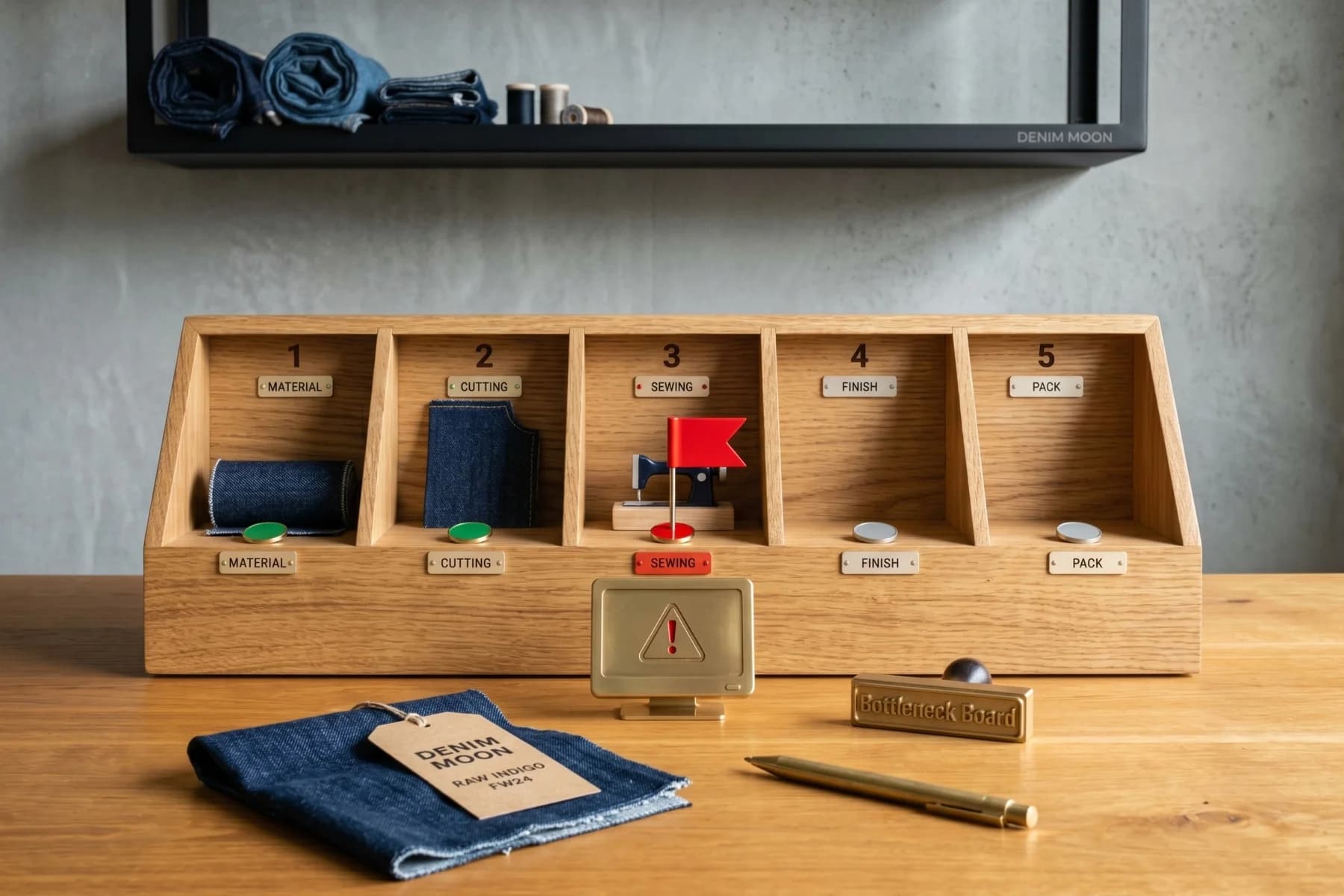
A bottleneck step in the production flow is marked with a red tag: fabric supply pending, lab dip rejected, PP sample re-requested are typical. The cause and responsible role read directly from the panel. 'Why is it delayed?' answers from the visual board, not a message thread; decision time shortens, friction does not reach the floor.

Red Tag
Weekly Pulse

Weekly Pulse

Every Friday at a fixed hour, the weekly progress report auto-generates: completed approvals, open action items, upcoming critical dates and triggered changes gather in one file. Short and action-focused, a single PDF or dashboard link instead of a long email thread. Monday planning starts with the pulse, not raw data.

5-Day Pulse
KPI Dashboard

KPI Dashboard

Operational KPIs are tracked from one shared screen: on-time delivery rate, AQL pass rate, median approval time, revisions per order and plan-actual deviation percentage. Target-versus-actual reads on color bars; the number tracks from six months ago to today as a trend, filterable by weekly or monthly slice in one click.

Numeric Panel
Finance Reflection

Finance Reflection

The finance reflection of the production plan reads instantly: payment plan, advance paid, open payment pending and L/C status. Production progress and the financial calendar are watched together; a delivery slip calculates the payment-window shift on the spot, finance does not run a separate raw calculation, they read from the board.

Plan vs Actual
Few & Right

Communication Discipline

Communication speed comes not from more messages but from fewer, more accurate ones. Communication discipline runs every dialog from daily ops to crisis hours within a predictable frame: single contact, roles, channels and briefing.

One Name

Assigned Contact

Throughout the order, a contact gathers all operations at a single point: order, production, quality and customs queries pass through one name. The backup is named, the off-hours defined, holiday delegation protocol clearly recorded.

RACI

Role Matrix

Every process gets a responsibility map via the RACI matrix: who is Responsible (does), Accountable (answers), Consulted (advises), Informed (notified). The matrix becomes part of the contract; 'is this on me?' settles before being asked.

Season Rule

Channel Map

Daily communication splits across set channels: decisions in the system, quick signals on Teams or Slack, formal mail on email. Which message goes where is listed at season start. WhatsApp is not an official channel, only fast-alert.

Ready Beforehand

Crisis Hour Line

When a production glitch, quality breach or critical-date risk emerges, the crisis-hour line activates with a defined frame: who is called, which role attends, who responds in the buyer's time zone. The unexpected never stays unexpected.

Fixed Hour

Meeting Rhythm

Meetings run on a fixed rhythm: Monday planning, Wednesday quality, Friday pulse review. Each meeting opens with a fixed agenda and fixed duration; an ad-hoc meeting only opens when the crisis-hour line triggers, never beyond that.

Three Parts

Briefing Frame

A problem brief comes in three parts: 'what the issue is, what options exist, how the calendar and cost may shift.' Extra time and extra cost sit in a side column for each option. The decider moves from a numeric base, not an emotional one.

Right Start

Digital Setup Inputs

A collection runs smoothly only with a deliberate start. Missing files, late-confirmed roles and fuzzy timelines turn into delays later. The six items below define the minimum input set both sides bring to set up the digital operation.

Scope Definition
01

Scope Definition

The first item to lock is the scope of work. Denim or non-denim; knit or woven; quantity, variant count, size curve, packaging preference (RTR, hanger pack, polybag) and the target market's customs requirement are stated upfront. Without this clarity the tech pack will not open, the size chart will not be frozen and the quote will not be finalised.

Document Set
02

Document Set

The second step of the digital setup is completing the document set. The brand brief, size chart, label and trim list, pattern file, fit comments where available, and the supplier-approved fabric card arrive in a single package. Not partial files; with the completed set the tech pack opens, the BOM is verified and the lab dip and PP sample plan begin.

Roles & Communication
03

Roles & Communication

The third item is putting roles on both sides in writing. The decision-making single point of contact (SPOC), approval authorities with backups, critical-moment protocol and time zone gap are set from the start. Approval times halve; sample, BOM and shipment approvals reach the right person through one channel. Not scattered chat but a written contact map.

Calendar Frame
04

Calendar Frame

The fourth item is the calendar frame. The launch date, fit sample delivery, PP sample, gold seal, production start, ETD and store shelf date are built backward. The lab dip window, fabric test certificate, AQL inspection slot and L/C date all find a place inside this frame. The calendar is not a verbal target but a jointly signed, written timeline skeleton.

Status Schema
05

Status Schema

The fifth item is a shared status schema. Fixed labels such as brief received, producible, sample approved, on the line, quality cleared and shipping speak the same language across both parties' screens and reports. The supplier-says-production, brand-reads-cutting ambiguity ends; the delay reason is readable from the status label and intervention is faster.

Entegrasyon Hedefi
06

Entegrasyon Hedefi

The sixth item is the integration target. Which fields flow in which direction between your ERP, PLM and document management system, and which report lands where, is framed in the first meeting. Even without full integration; a shared data contract is drafted for files, status and approvals. This frame can scale later but always starts from a clean baseline.

Open Table

The Meeting Frame

You've read this page through; the rest moves fastest in a conversation. The three principles below frame what to expect from the meeting: come with partial files, the table is a working table, you leave with a written setup draft in hand.

Zero Prep

Come With Partial Files

The tech pack, size chart or pattern file may not be complete yet. Don't wait for them before booking the meeting; talking about what is missing is faster than talking once the document set is finally complete. We map the empty squares together at the table.

No Pressure

Working Table, Not Sales

The meeting is not a sales pitch but a shared working table. We sketch a concrete setup frame around scope, calendar and document set; no slides, no price pressure, no closing techniques. The items discussed are the same ones to clarify pre-contract.

No Commitment

The Meeting Is Not Binding

The meeting doesn't bind you to anything; what comes out of it is a setup frame that gets signed only when both sides agree. You walk away with a draft calendar, document list and contact map, then evaluate internally at your own pace and come back to us.

Frame It Together

Plan a Digital Operations Call

The call lasts about 30 minutes. We talk through scope, calendar and the first document set, then share a written setup draft afterwards. Fill in the short form below and we'll find a suitable slot together.

Select a form to display here.

Environmental Footprint Is Also Our Priority

See how we manage resource consumption and environmental impact across our production processes.

See Our Footprint
Denim Moon © 2026 · Powered by Dimotihe